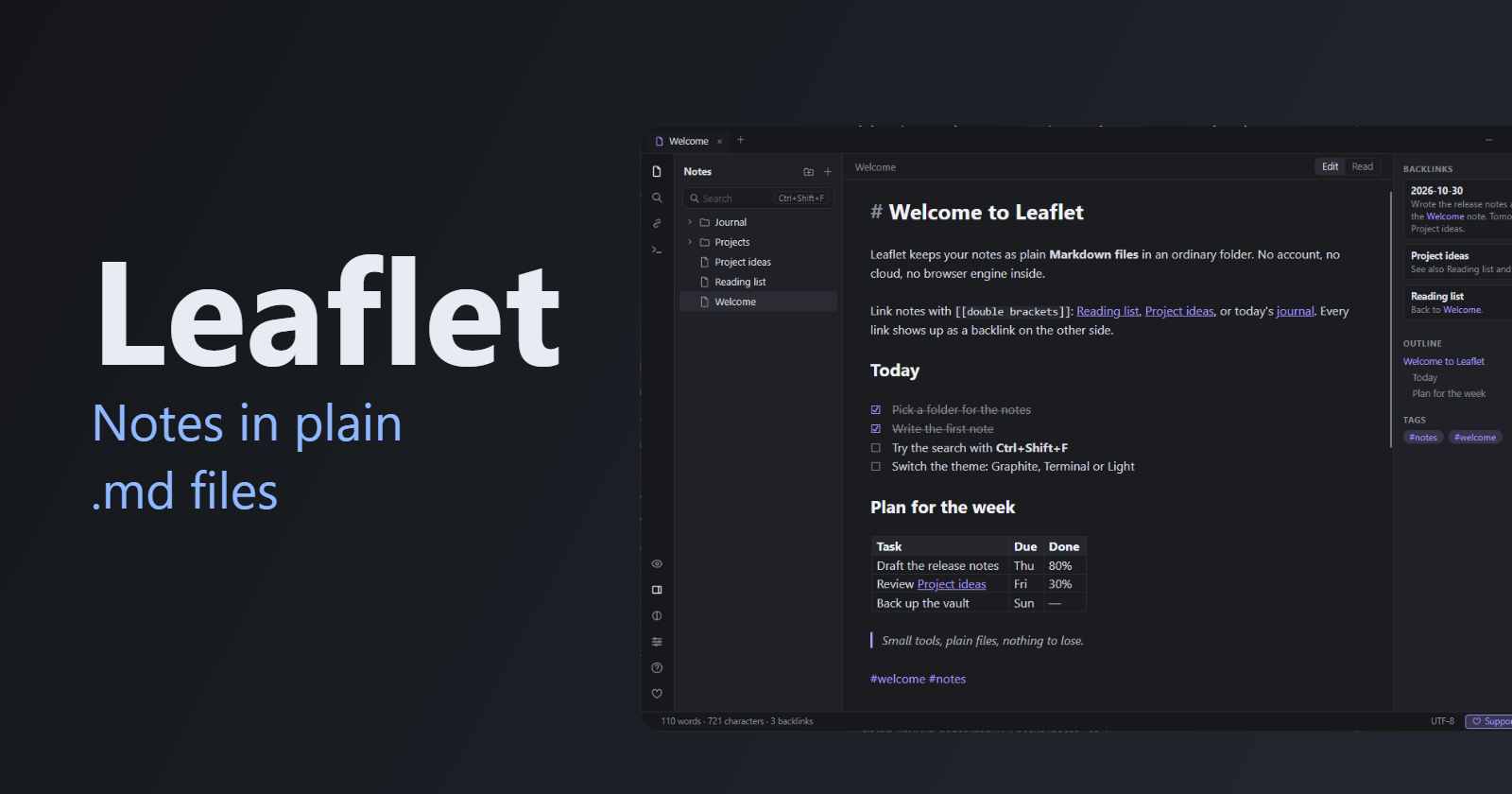
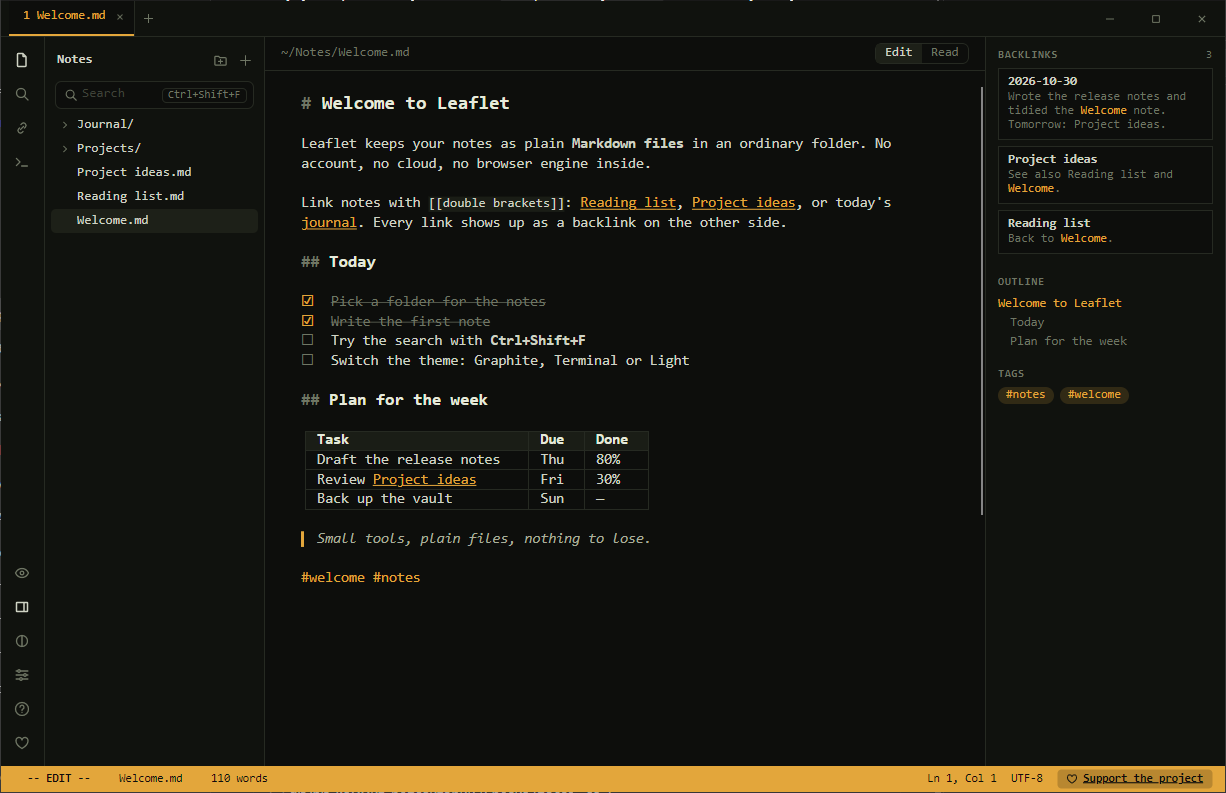
I wanted a notes app where notes are plain .md files in a normal folder, with [[links]], backlinks and search, and where the text already looks formatted while I type, without a separate preview pane. It also had to start fast, not carry a whole browser in memory, and not ask for an account. Almost every ready-made option is built on a WebView or Electron, so I wrote my own: Leaflet, in C# and Avalonia, with no web page inside. Here is how it works and where it got tricky.
What I wanted
- Notes are
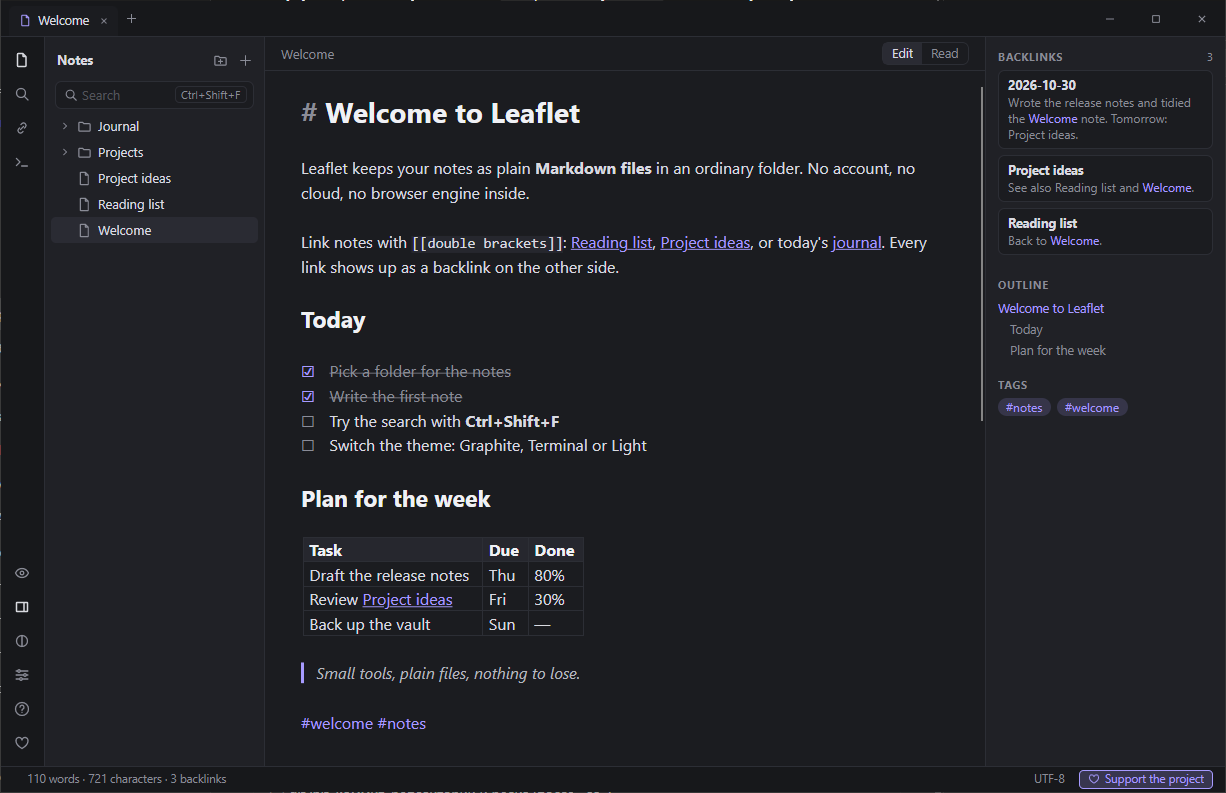
.mdfiles in any folder; the app hides nothing in a database. [[Name]],[[Name#Section]],[[Name|label]], backlinks,#project/sitetags, search across all notes.- Live preview in the editor: the line with the caret shows raw Markdown, other lines show formatted text.
- Export to HTML and PDF.
- A folder with an exe that runs on a clean Windows 10/11 without installation.
How it is built
Storage. Vault reads every .md in the chosen folder (skipping hidden .folders), builds a link index and watches the folder for changes. Writes go through a temporary file, so a crash in the middle of a save never leaves half a note. When a note is renamed or moved, Vault.Move rewrites the [[links]] in all other notes, keeping #section and |label. The note object stays the same, so open tabs and history are not broken.
Editor. The base is AvaloniaEdit, a port of AvalonEdit. The live preview is not a replaced document but styling over the source text: element generators and transformers hide the markup and colour the pieces on every line except the one with the caret. The document is always the original Markdown, so undo, search and selection behave like in a normal editor.
Everything else follows from that:
- a table is one editor line turned into one element with cells, with the grid drawn by a separate renderer; the line with the caret shows the source, and its
|are aligned to the grid lines (a second pass onVisualLinesChanged); - a list marker with its indent becomes one element, the level comes from the indent, numbering stays text;
- [ ]and- [x]show as checkboxes, a click changes one character and creates its own undo step; - an image
gets a row after the line, decoded in the background straight to the needed width; - an embed
![[Name]]is a card with another note's content, nesting up to four levels, with circular embeds detected.
Why Avalonia and not a WebView
A WebView or Electron would have given me a Markdown renderer in an evening. With it comes a second heavy process, a noticeable start delay and questions about updating the runtime. I wanted one small native process. Avalonia 12 on .NET 8 draws through Skia, runs on Windows 10/11 and keeps everything in a single process. A side benefit: PDF is built without a browser too (below).
The price: the UI had to be written in code. The SDK installed on my machine (8.0.403) is older than Roslyn 4.14, so XAML would not compile (error CS9057), and the whole UI is C#.
Measured on a 5,013-line note (216k characters), 1200×780 window with panels, ReadyToRun build:
- 0.66–0.89 s to the first frame;
- about 133 MB working set after loading;
- 0.4 ms on average to handle a typed character (input + layout);
- 3 ms on average for Enter.
These are my measurements on one machine, a rough guide and not a benchmark.
Pitfalls
A window without a white strip. I wanted my own title bar with tabs and window buttons. With full decorations Avalonia 12 draws its own title over the tabs, and without extending the client area Windows 10 shows a 7-pixel white strip on top. What works:
WindowDecorations = WindowDecorations.BorderOnly;
ExtendClientAreaToDecorationsHint = true;
The window buttons are custom; I checked dragging, double-click, edges and corners, maximizing exactly to the work area, minimizing and closing.
Editor.Focus() does nothing. TextEditor does not take focus itself: the method returns false and focus ends up nowhere. Focus goes through Editor.TextArea.Focus(). A related detail: before hiding a panel that holds focus, move focus to the editor first and only then set IsVisible = false.
A collapsed table line. The |---| separator is hidden so that the line does not end up below the font (CollapseLines). But the collapsed line must be covered by the previous line's element (the header stretches to the end of the separator), otherwise AvaloniaEdit crashes. You only find that out by experiment.
The caret next to an image. Without a zero-width marker at the end of the line, the caret is drawn full-height on the image row. I added such a marker and handled the arrow keys separately: down goes to the next line, up or a click goes to the end of the text, so the caret never sits in the image row.
Typing speed. The block map (text, code, table rows) is rebuilt only when `, | or a line break is typed or deleted, and for - and : only if the line contains |. Scanning doc.Text as a string turned out several times cheaper than walking doc.Lines with GetCharAt: about 1.2 ms per Enter on 5,000 lines.
PDF without a browser. Export uses SKDocument.CreatePdf from SkiaSharp, which Avalonia already ships, so no WebView is needed. The layout is my own: A4, the selected theme's colours, word wrap, page numbers, links as annotations. But SkiaSharp is built without a font subsetter and embeds fonts whole: one page weighed 1.6 MB. I wrote my own FontSubset: glyph ids stay the same, unneeded outlines become empty, a new cmap is built and the GSUB and GPOS tables are dropped. A page went down to about 130 KB. CFF (OTTO) fonts are not subsetted.
Data over looks. The app sits in a folder with my real notes, so reliability took work:
- the file is changed outside while the app has unsaved edits: the tab gets a "conflict" state with a bar of choices ("Keep mine", "Take from disk", "Save mine as a copy", "Compare"); before writing, the file date is checked against the one the app saw, so a foreign edit is not overwritten even if the watcher was late;
- drafts are written in the background 1.5 s after an edit and removed on save; after a real crash the app offers to restore them;
- version snapshots with line diffs (Myers algorithm), limited to 50 per note and 100 MB in total; restoring a version is done as an edit, so Ctrl+Z undoes it too;
- a note renamed in Explorer: if one disappears and another with the same text appears in the same batch, it is treated as a rename and the tab follows the file.
To test a crash, the self-check starts a second instance of the app, edits without autosave, waits for the draft to appear and kills the process with Process.Kill(). Then the parent checks the file and the recovery.
One instance. A mutex named Local\Leaflet.Mutex.<data folder hash> plus a named pipe: a second launch passes its paths to the first and waits for "ok", and the first window comes to the front. The data folder hash is in the name so a portable copy, a regular one and the tests do not interfere.
Window position on several monitors. Sizes are stored in logical units, the position in pixels, plus the monitor scale. On start, the monitor list (EnumDisplayMonitors and GetDpiForMonitor) helps pick the monitor the window overlaps most, move the window inside the work area and make sure the title strip is at least 100 pixels. A window closed while maximized is a separate case: Avalonia then reports the monitor bounds, not the normal ones.
Windows scaling. The scale on my machine never changed, so the self-check sends the window a real WM_DPICHANGED and verifies that Avalonia recalculated the scale, the logical window size was kept, and panel edges stayed on whole pixels. Moving a window between monitors with different scales on real hardware is not something I tested; that is an honest limitation.
Build and shipping
The main zip is self-contained and runs on a clean Windows without .NET. The folder is 115 MB and the zip about 50 MB, against 44 and 18 MB for the variant that needs the .NET 8 Runtime installed. Start and memory are the same, so I chose convenience.
dotnet publish src/Leaflet -c Release -r win-x64 --self-contained true -p:PublishReadyToRun=true
I did not do single-file or trimming: Avalonia and AvaloniaEdit use reflection, and the size gain is not worth the risk. *.pdb files are removed from the package (SkiaSharp and HarfBuzz ones weigh about 100 MB). At the end build.ps1 unzips the package into a clean temp folder, starts the exe with a separate data folder and waits for the window to appear.
The app is not code-signed, so SmartScreen may show the blue window: "More info" → "Run anyway".
The result
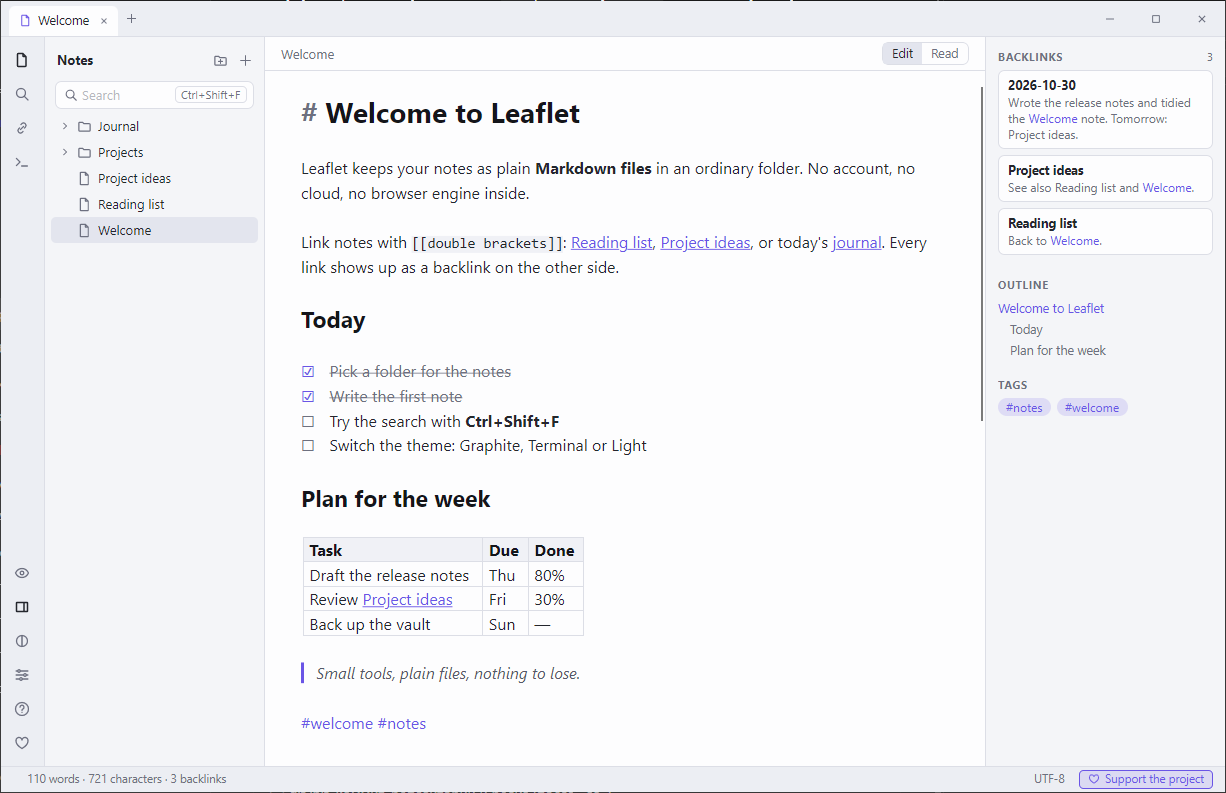
Three themes (Graphite, Terminal, Light), English and Russian interface, remappable shortcuts, a command palette and built-in help.
The project is covered by its own self-check with 384 checks. It starts a real window and sends real key presses and mouse input (Ctrl+F, typing [[, dragging files, Ctrl+V with an image on the clipboard), so for a few minutes it takes over the keyboard and mouse and runs only on a copy of a test folder.
What it does not have: plugins, sync, mobile apps. It is a "folder of files" notes app, and anything else you can build on top with Git or a cloud folder.
Links
- Project page and source (MIT): https://github.com/OlegChe77/leaflet
- Ready zip (about 50 MB, Windows 10/11, nothing to install): https://github.com/OlegChe77/leaflet/releases/latest/download/Leaflet.zip
It is free. Suggestions and bug reports are welcome in the comments or in GitHub Issues.
Comments
Join the discussionNo comments yet. Be the first to comment.