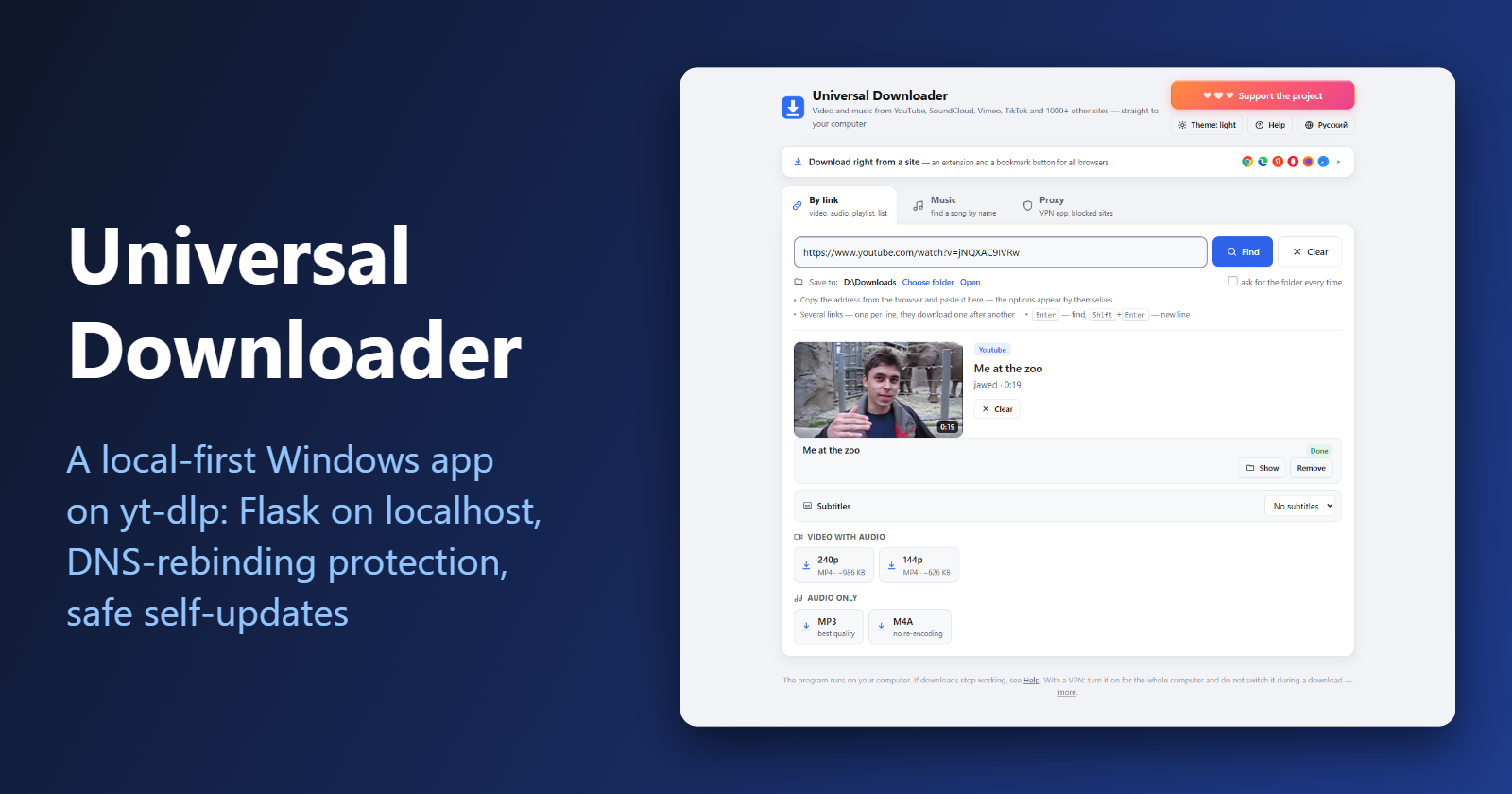
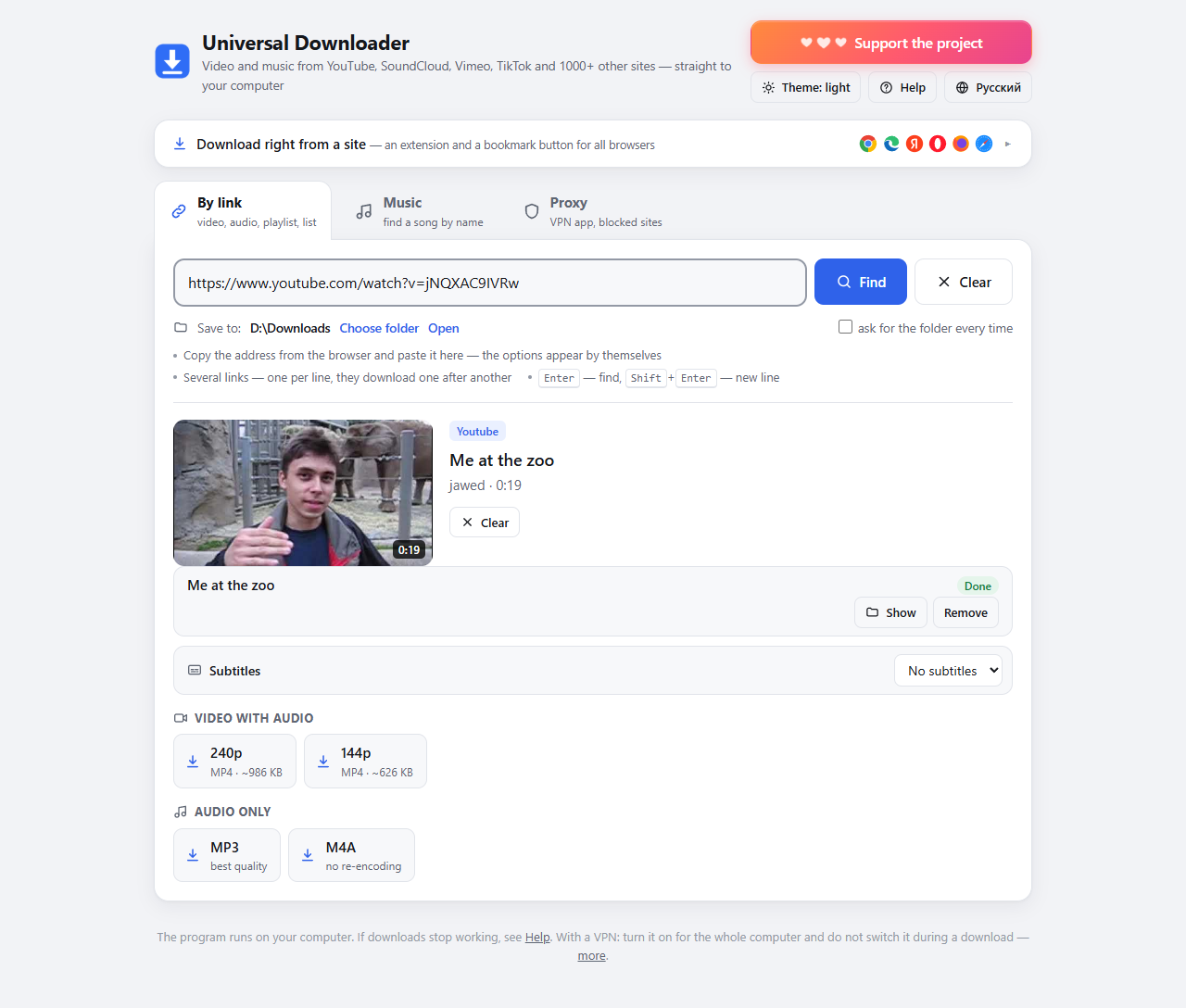
Universal Downloader is a free, open-source Windows app that wraps yt-dlp: paste a link from YouTube, SoundCloud, Vimeo or one of 1000+ other sites, pick a quality, get a file. I originally wrote it for myself because every "online downloader" is full of ads.
This post is about the parts that were more interesting than I expected: how an app that must work for non-developers sets itself up, how it talks to the browser without exposing a hole in your machine, and how it updates itself without breaking.
The shape of the app
- a Flask server that listens on
127.0.0.1only; - a plain web page as the UI (no Electron: the browser you already have is the window);
- yt-dlp for extraction, ffmpeg for merging video and audio, Deno so yt-dlp can solve YouTube's JavaScript challenges;
- a small launcher with a tray icon, a browser extension and a bookmarklet.
The nice part of this design: the app is tiny, the UI is just HTML and JS, and there is no packaging step that fights antivirus software. The price is that a local web server is a bigger attack surface than people think.
Setup without installing anything
I did not want users to install Python, so the first launch bootstraps a private copy into the app folder: Python 3.12 (embeddable), pip, yt-dlp, ffmpeg and Deno. Nothing goes into the system or the registry, and deleting the folder removes everything.
Downloading executables from the internet at first start is exactly what you should be suspicious about, so every download is checked before it is used:
- each file has a pinned SHA-256, and if the hash does not match, the file is rejected;
python.exeis additionally checked for the Python Software Foundation's digital signature.
The PowerShell helper that does the hash check is short:
function Get-Verified($url, $file, $sha256) {
    # a download whose hash does not match is never used
    Invoke-WebRequest -UseBasicParsing -Uri $url -OutFile $file
    $hash = (Get-FileHash -Algorithm SHA256 $file).Hash
    if ($hash -ne $sha256) { throw "hash mismatch for $(Split-Path $file -Leaf), not using it" }
}
The signature check on python.exe and python312.dll uses Get-AuthenticodeSignature and requires a valid signature from the Python Software Foundation. The new python folder is built next to the old one and renamed at the end, so an interrupted setup never leaves a half-installed copy.
A localhost server is not automatically private
Listening on 127.0.0.1 stops other machines from connecting. It does not stop other web pages in your browser from talking to it. Any site you open can send requests to http://127.0.0.1:PORT using your browser as the middleman, and a malicious site can even point its own domain at 127.0.0.1 (DNS rebinding) so the request looks same-origin.
My before_request guard handles both, and I would suggest it for any local web UI:
LOCAL_HOSTS = {f'127.0.0.1:{PORT}', f'localhost:{PORT}'}
LOCAL_ORIGINS = {f'http://{h}' for h in LOCAL_HOSTS}

@app.before_request
def only_own_page():
    # A foreign Host header means DNS rebinding: refuse.
    if request.host.lower() not in LOCAL_HOSTS:
        return Response('Forbidden', 403, mimetype='text/plain')
    if not request.path.startswith('/api/'):
        return None
    # The API answers only to its own page.
    origin = request.headers.get('Origin')
    if (origin and origin not in LOCAL_ORIGINS) or \
            request.headers.get('Sec-Fetch-Site') in ('cross-site', 'same-site'):
        return jsonify(error='Request from another page.'), 403
    # POST accepts JSON only: a plain HTML form from another site cannot send it.
    if request.method == 'POST' and not request.is_json:
        return jsonify(error='JSON required.'), 415
    return None
On top of that, responses carry X-Frame-Options: SAMEORIGIN (no clickjacking), Referrer-Policy: no-referrer, and Cross-Origin-Resource-Policy: same-origin for the API. Requests without Origin or Sec-Fetch-* (curl, tests, the "is it already running?" check) are allowed through.
Keeping up with sites that keep changing
yt-dlp breaks regularly because sites change, and a downloader that is a month old is a broken downloader. So the app:
- updates yt-dlp by itself once a day;
- checks GitHub for its own new version every three days, verifies the SHA-256 published with the release asset, and installs it with one click;
- rolls back if the new version does not come up. A separate updater process waits for the app to exit, swaps the files, launches the new version and polls its local
/api/statusfor the expected version number. If nothing answers in time, it restores the old files and writes the outcome to a result file.
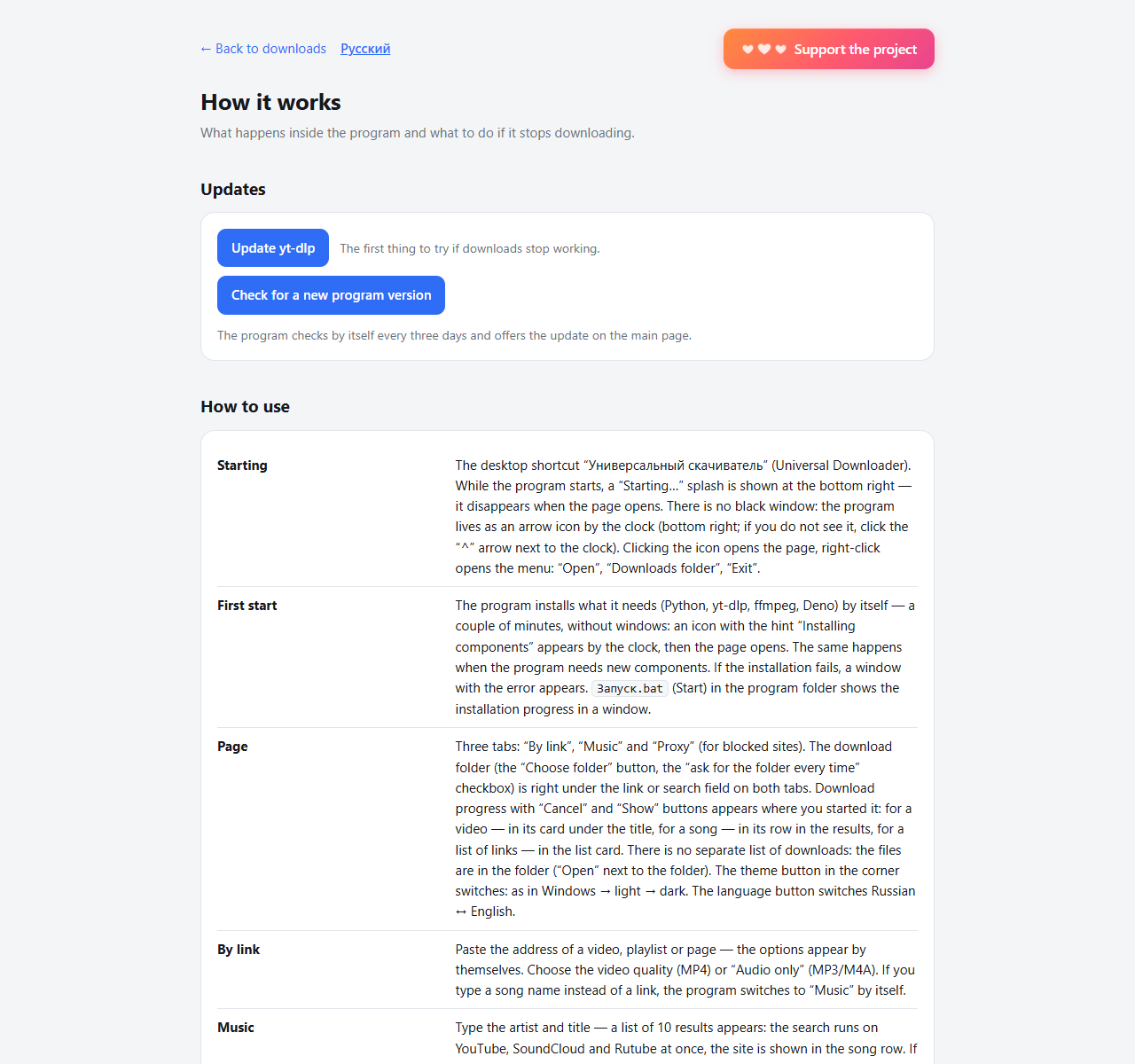
Errors from yt-dlp are translated into plain language, with a "Details" button that shows the raw output for bug reports.
Proxies and the "site does not open" problem
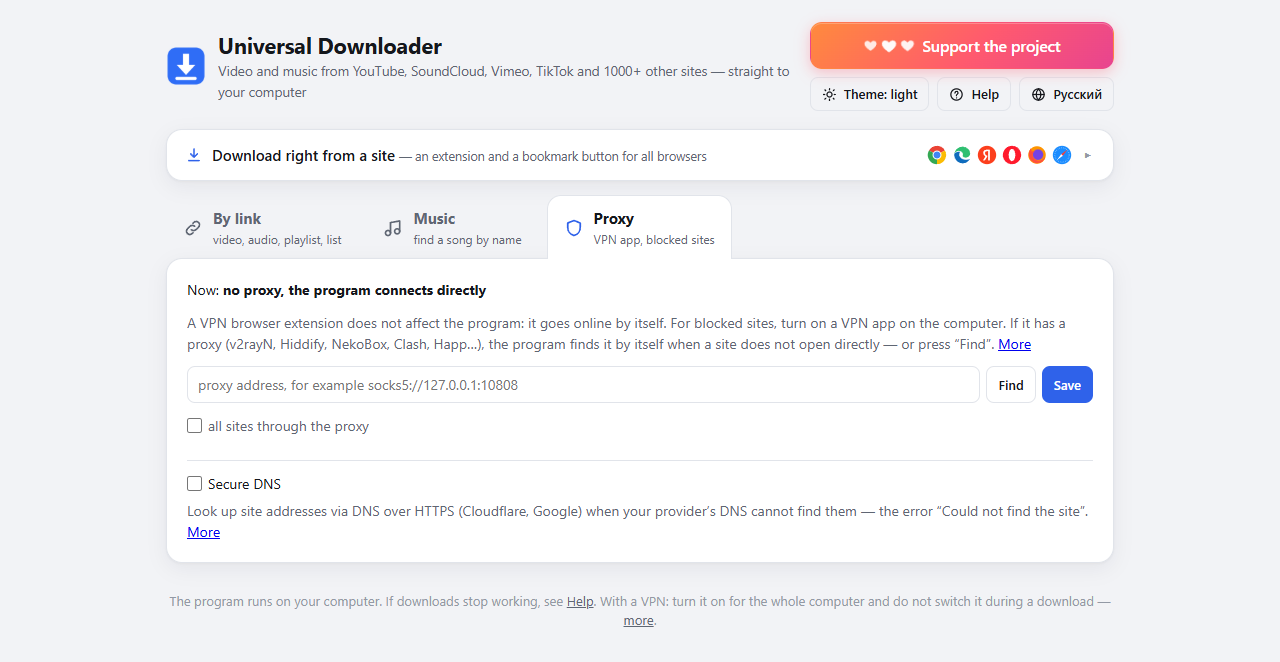
A VPN browser extension does not help a separate program. So the app can discover a local proxy: it probes the default ports of VPN clients such as v2rayN, Hiddify and Clash, and accepts a proxy only if YouTube actually opens through it. The proxy is used when a site is unreachable directly, and the app remembers which sites needed it. A "secure DNS" switch handles the case where the provider simply does not resolve the domain.
Rough edges
- It ships as a zip with a
.batlauncher, not as an installer. - The browser extension is installed manually through "developer mode"; the Help page has step-by-step instructions with pictures.
Try it, read it, break it
- Download: universal-downloader.zip (Windows 10/11)
- Source: github.com/OlegChe77/universal-downloader
It is a wrapper meant for personal use, so download only what you have the right to and follow the terms of each site. If you find a hole in the localhost guard above, I would genuinely like to hear about it: open an issue.
Comments
Join the discussionThe Host-header check plus Sec-Fetch-Site/Origin filtering is a solid combination for a localhost API. One thing worth considering is that Sec-Fetch-Site is only sent by newer browsers, so for older ones the Origin check carries the load; requiring a per-launch random token (passed to the page at load and sent in a custom header) would also force a CORS preflight and cover the case where headers are missing. Also, since the app downloads and executes yt-dlp updates, it may be worth asking whether updates get the same pinned-hash or signature verification as the first-run bootstrap, because yt-dlp releases change constantly and a static hash won't fit. Checking the release's published SHA2-256SUMS (ideally verifying its signature) before swapping the binary would keep the update path as strict as setup. How are you handling rollback if a new yt-dlp version breaks extraction?
Thanks, good points.
API protection. There’s no per-launch token right now. But your preflight point is already covered by another check: POST requests to /api/* are accepted only with Content-Type: application/json. A foreign site can’t send such a request without a CORS preflight, and the server never answers a preflight with permission. The rest works as you described: the Host check (against DNS rebinding) and rejection of a foreign Origin and of Sec-Fetch-Site. For older browsers that don’t send Sec-Fetch-Site, Origin and the mandatory JSON type remain. A header token would add one more layer, and I’ll consider it.
yt-dlp updates. It’s not a binary download: the app runs pip install -U yt-dlp in its own Python. pip fetches the package from PyPI over HTTPS. I don’t verify a hash or signature on this path. For Python and pip, the hashes are pinned in the setup script on first install, so you’re right that yt-dlp doesn’t get the same strict path. A static hash can’t work because releases come out every few days. Checking the published SHA2-256SUMS is possible. It’s a fair point and I’ll note it down.
Rollback. There’s currently no rollback for yt-dlp: if a new version breaks extraction for a site, you have to install the previous one manually (python\python.exe -m pip install yt-dlp==). Rollback exists only for updating the program itself: the archive is checked against the SHA-256 from GitHub, and if the new version fails to start, the old one is restored.