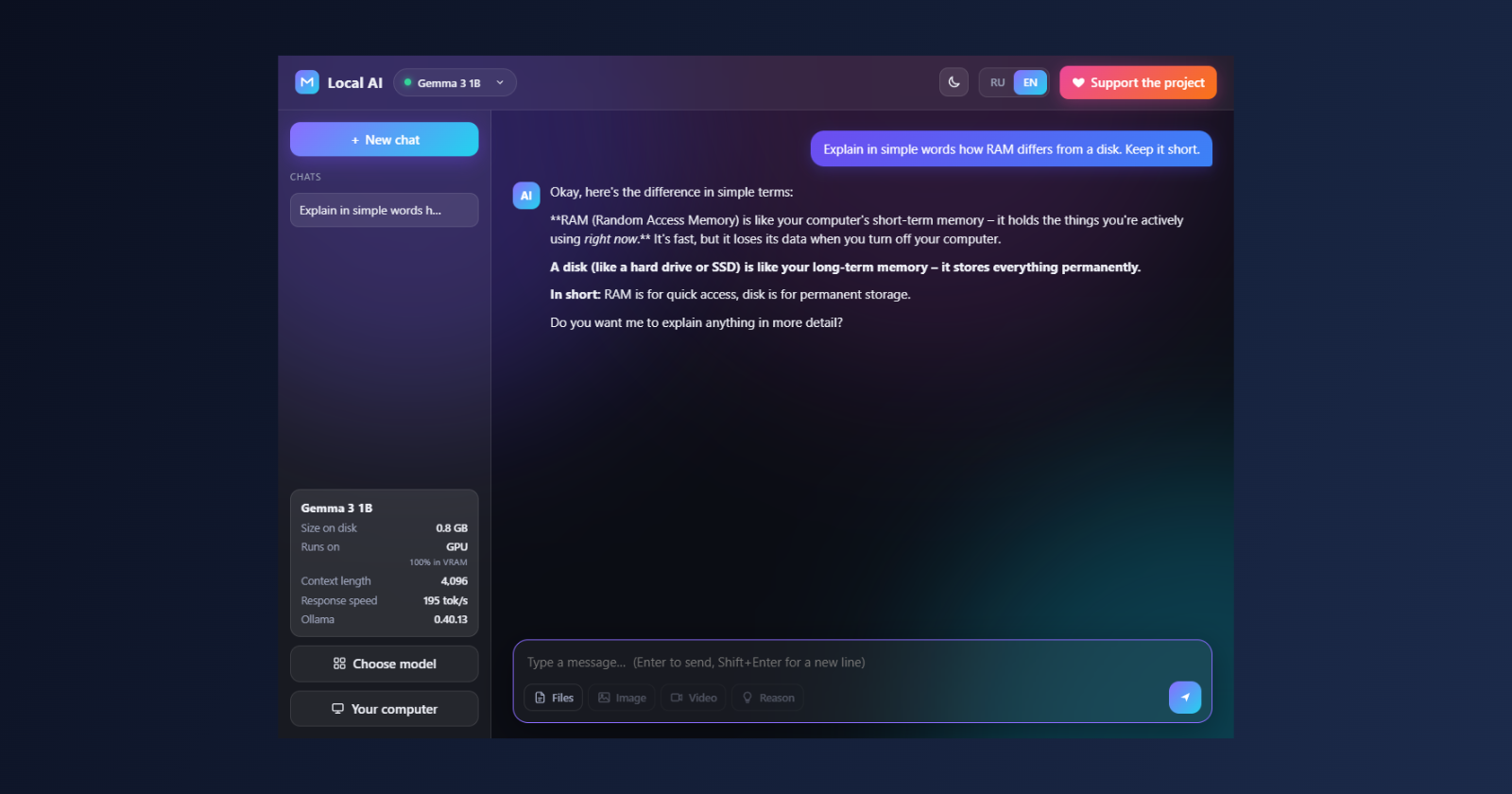
Running a local LLM is easy to do once and annoying to explain: install Ollama, work out which model fits your GPU, get the tag right, wait for gigabytes, find a UI. People kept asking me to set this up for them, so I wrote Local AI: it looks at the hardware, picks a model, installs Ollama and the model with one click, and opens a normal chat. Here is how it works and where it got tricky.
What it is
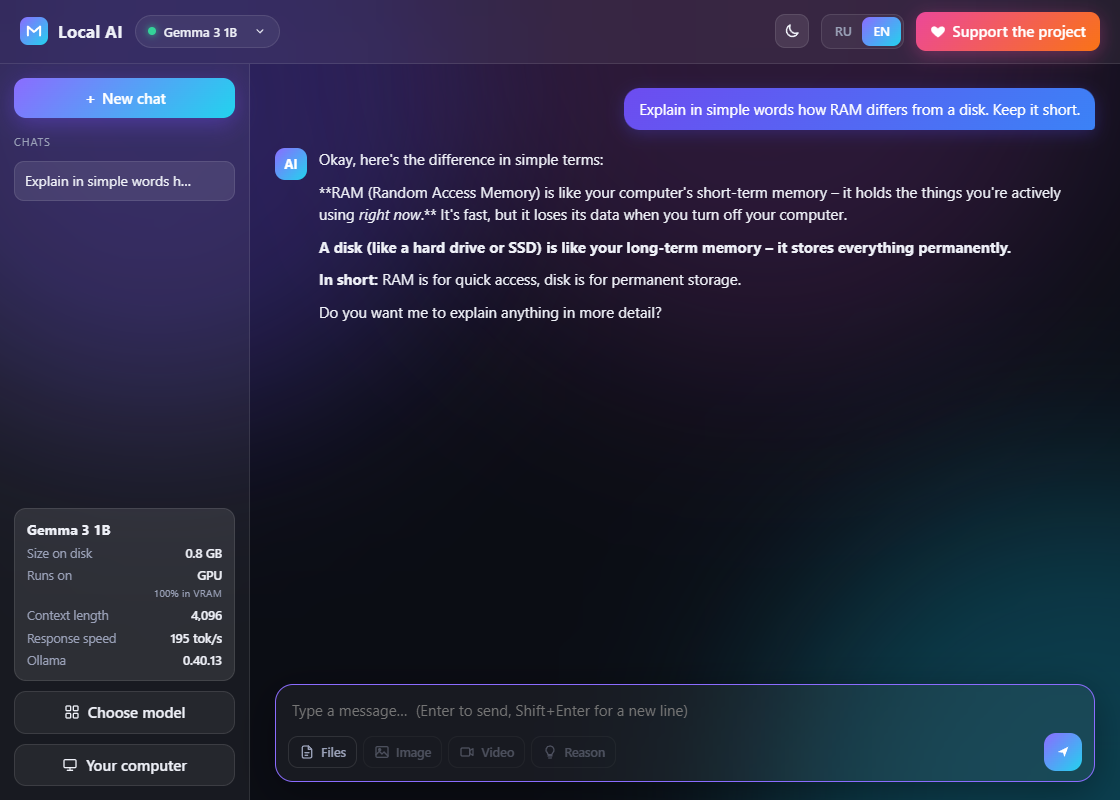
One LocalAI.exe (about 42 MB, no Python needed), a catalogue of 34 models (Qwen3, Gemma 3/3n, Llama 3.1/3.2, Mistral, Phi-4, DeepSeek-R1, Qwen2.5-Coder and -VL, LLaVA, gpt-oss), a streaming chat with a "think" mode and attachments, model moving, updates and a full uninstall. MIT licence. Chats never leave the PC: the app talks to Ollama on 127.0.0.1, and the network is only used for downloads and update checks.
Structure
I needed a small window and logic that digs into the system (registry, processes, installers), so: Python, with a plain HTML/CSS/JS interface and no bundler.
main.pystarts a local HTTP server on127.0.0.1and opens a pywebview window (WebView2). If that fails, it falls back to Edge or Chrome with--app.server.pyis the API for the UI: state, install, chat, updates, paths. Requests are protected by a session token (X-Token) and aHostcheck, so a page in your browser cannot call the local server.hw.pydetects hardware,catalog.pyholds the model catalogue and the recommendation,engine.pydoes everything about Ollama.ui/is the page, styles andapp.jswith a tiny Markdown renderer. Strings live ini18n.jsin two languages.
Hardware without WMI
WMI is broken on my PC, and that happens elsewhere too, so detection avoids it:
- NVIDIA:
nvidia-smi --query-gpu=name,memory.total; - other GPUs: the display-class registry key (
DriverDesc,HardwareInformation.qwMemorySize); the value can be negative from a 32-bit overflow and has to be corrected; - RAM:
GlobalMemoryStatusExviactypes.
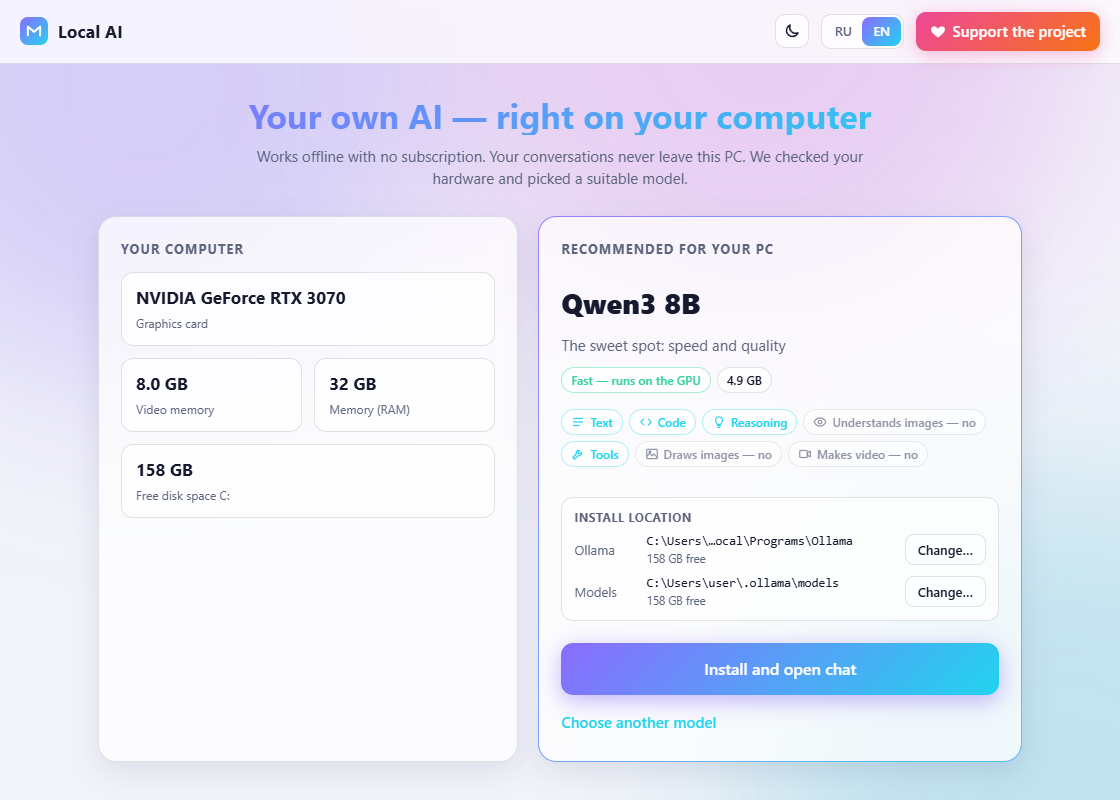
Free space is measured on the drive of the models folder, not on C:, because the user can move it.
Picking a model
Each entry has a size in GiB and its capabilities. A model needs more than its file size (context, buffers), so the estimate is rough but simple:
OVERHEAD = 1.2   # multiplier for context and buffers
EXTRA = 0.6      # GB of headroom

def _need(size):
    return size * OVERHEAD + EXTRA

def rate(model, hw):
    need = _need(model["size"])
    vram, ram = hw["vram_gb"], hw["ram_gb"]
    if vram and need <= vram * 0.95:
        return "gpu"        # fully in VRAM, fast
    if need <= ram * 0.7:
        return "mixed" if vram else "cpu"
    return "no"             # does not fit
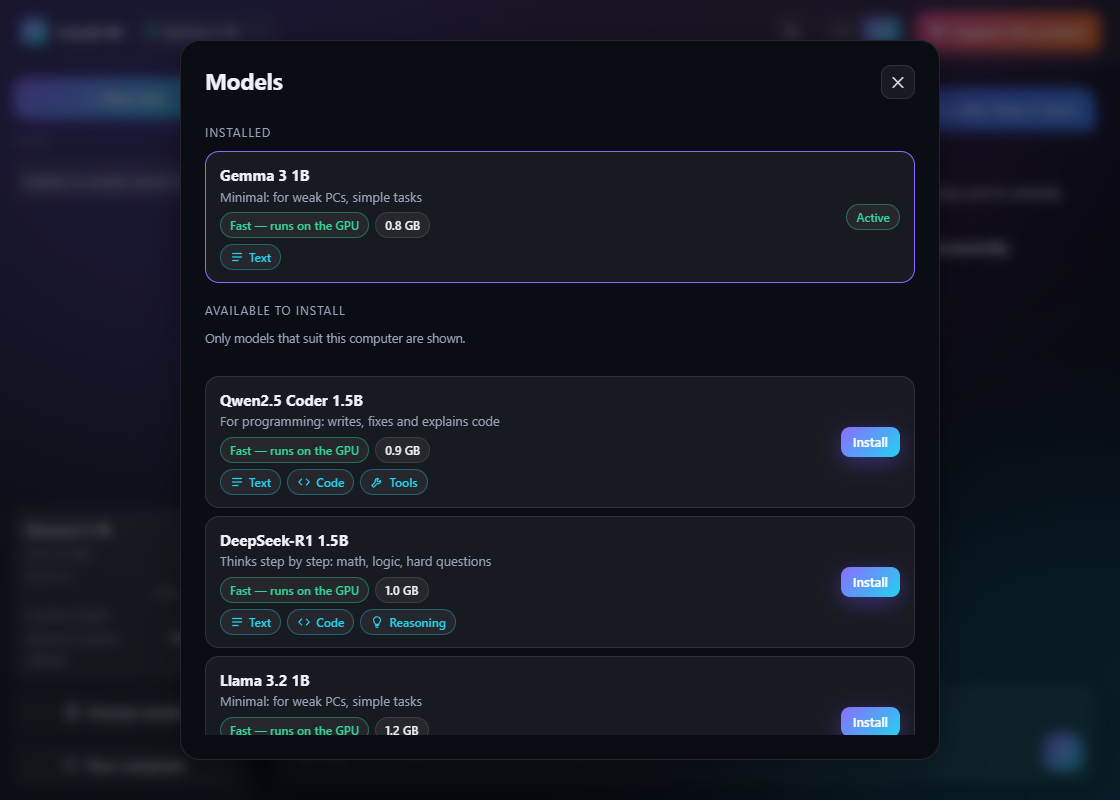
The recommendation is the largest suitable "main" model (Qwen3 or Gemma 3) that fits in VRAM. With no discrete GPU it is a light model of at most 5 GB, because bigger dense models are too slow on a CPU. The picker only lists models that fit the PC by memory and by disk.
Installing Ollama
The installer is about 1.6 GB, so the download resumes: it lives in %TEMP%\LocalAI as a .part file and continues with a Range header:
done = os.path.getsize(part) if os.path.exists(part) else 0
headers = dict(UA, **({"Range": f"bytes={done}-"} if done else {}))
resp = urllib.request.urlopen(urllib.request.Request(SETUP_URL, headers=headers), timeout=30)
if resp.status != 206:   # server ignored Range, start over
    done = 0
Before running it, the Authenticode signature is checked (status Valid, signer O=Ollama), otherwise the file is deleted. The install is silent (/VERYSILENT /NORESTART /SUPPRESSMSGBOXES, /DIR="…" for a custom folder) and goes into the user profile, so no administrator rights. Then /api/pull downloads the model with progress; its read timeout is long because Ollama goes quiet while verifying sha256.
Things that went wrong
Ollama's own window on top of ours. The installer launches ollama app.exe, which opens a window over the app. Local AI finds it and sends WM_CLOSE: the app goes to the tray and the engine keeps running.
Black console windows. ollama serve must be started with CREATE_NO_WINDOW and without DETACHED_PROCESS. A process with no console makes every child (ollama.exe, the llama-server.exe runner) open its own black console. I checked with a window watcher (EnumWindows every 10 ms): after the fix there are no new windows except "Local AI".
Slow port check. On Windows a plain connect to a closed 127.0.0.1:11434 fails only after a couple of seconds because of SYN retries, which made /api/state take 3-5 seconds. Now a quick socket.create_connection with a 0.3 s timeout goes first, and the HTTP request only if the port is open.
The first reply looks instant. Ollama is stopped on exit, so the first answer waits for the model to load into memory (about 3 seconds on an RTX 3070). It looked like the whole answer appeared at once. Now the server sends {"status":"loading"} first if the model is not in /api/ps, and the bubble shows "Loading the model into memory…".
Moving models. The folder is set with OLLAMA_MODELS in HKCU\Environment plus a WM_SETTINGCHANGE broadcast. In Ollama 0.40 models live not only in blobs and manifests but also in manifests-v2 and metadata; move all of them or the model is invisible in the new folder. On the same drive it is a rename, otherwise a copy with progress; cancel or an error rolls everything back.
An uninstall that deletes itself. Ollama's uninstaller wipes ~/.ollama/models, so the models folder is renamed for the duration and put back. The Inno uninstaller re-launches itself from %TEMP% and returns immediately, so the app waits for ollama.exe to disappear and for the registry entry to go. The app's own exe is removed by a hidden PowerShell that waits for our processes (the PyInstaller onefile loader and its child), then deletes the exe, %APPDATA%\LocalAI, the unpacked _MEI* folder and finally itself.
localStorage and the port. Chats live in localStorage, which is tied to the origin including the port, and pywebview opens windows in private mode by default. So the window starts with private_mode=False and its own storage folder, and the server port is fixed (28765); if it is taken, any free port is used, but that run has its own chats.
No requestAnimationFrame while streaming. In a covered or hidden window frames freeze and the answer would arrive all at once, so the bubble is redrawn on a timer and only its innerHTML changes.
What I tested, and what I did not
On an RTX 3070 (8 GB) with 32 GB of RAM: a real install of Ollama 0.40.13 (silent install in about a minute), qwen3:8b in chat with and without think, about 236 tokens/s on gemma3:1b, moving models back and forth on one drive, and closing the window shutting Ollama down. The uninstall was tested in demo mode and on a copy of the exe with substituted APPDATA and TEMP; I did not run the real Ollama uninstaller. Not tested live: the system folder picker and reinstalling Ollama to another folder (demo only), and a real Ollama update. For UI work there is a demo mode: LOCALAI_DEMO=1 and python app/dev.py.
Limits and download
Windows 10/11 only. Ollama has no image or video generation, so those capability icons are always grey. The app is not code-signed, so SmartScreen may warn ("More info" → "Run anyway"), and some antivirus tools dislike PyInstaller executables; the source is open, so you can build it yourself.
- Download (about 43 MB): https://github.com/OlegChe77/local-ai/releases/latest/download/LocalAI.zip
- Source and README (MIT): https://github.com/OlegChe77/local-ai
If your approach to picking models differs, or Ollama behaves differently on your setup, tell me in the comments or in Issues.
Comments
Join the discussionNo comments yet. Be the first to comment.